How to Pay NBI Clearance Fee in 7/11 Store
Paying for your NBI Clearance doesn’t have to be stressful. Many people struggle with online payments that fail, apps that don’t load, or payment options that aren’t available. It can get tiring fast.
That’s why paying your NBI Clearance fee at 7/11 is such a big help. It’s easy, quick, and there’s always a branch nearby. Whether you’re going to work or just doing errands, you can finish your payment in a few minutes.
This guide will show you exactly how to do it—what to bring, how much you’ll pay, how the process works, and what to do if something goes wrong. Simple, clear, and ready to help you avoid the usual stress.
Can You Pay NBI Clearance in 7/11?
Yes, you can. Any 7-Eleven store in the Philippines can process your NBI Clearance payment using the Cliqq kiosk or the Cliqq app. It’s available 24/7, so you don’t need to worry about banking hours or slow internet. Just pay at the nearest branch anytime—it’s one of the easiest ways to settle your NBI fee.
Requirements Before Paying at 7-Eleven
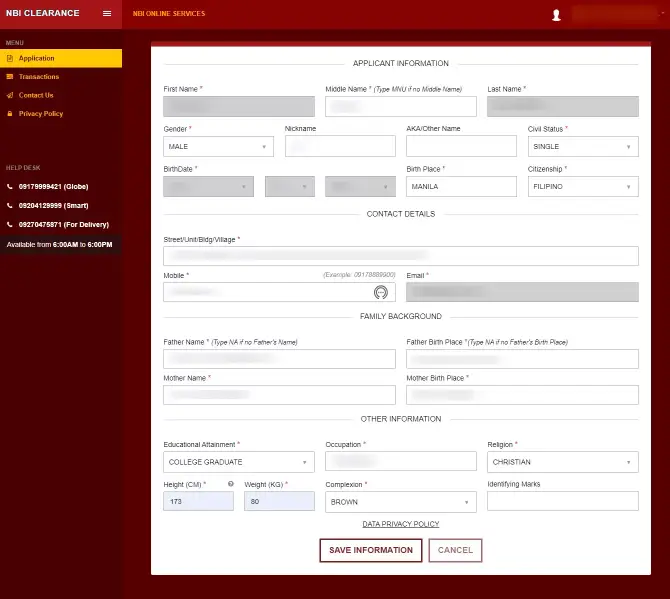
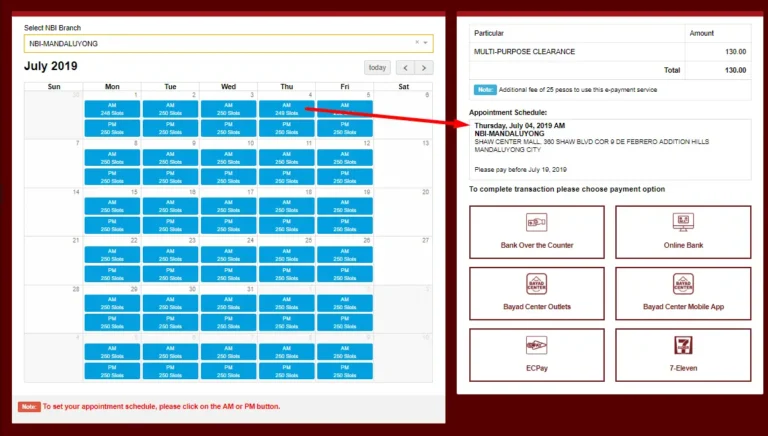
Before you go to any 7-Eleven branch, make sure you have everything you need. Keep your NBI Clearance Reference Number ready—the one you get after booking your appointment. Bring enough cash to cover the fee and the 7-Eleven convenience charge. Save a screenshot of your reference code so you can type it in easily without mistakes. And most importantly, confirm your NBI appointment first before making the payment. A little preparation makes the whole process quick and easy.
Step-by-Step: How to Pay NBI Clearance Fee in 7/11 Store
Using the Cliqq Kiosk
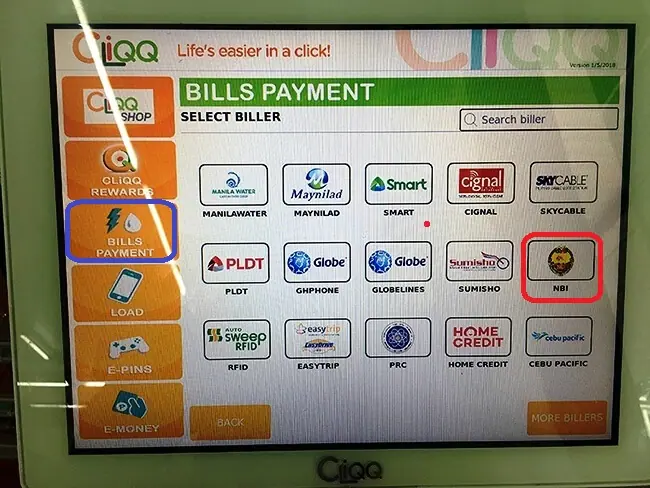
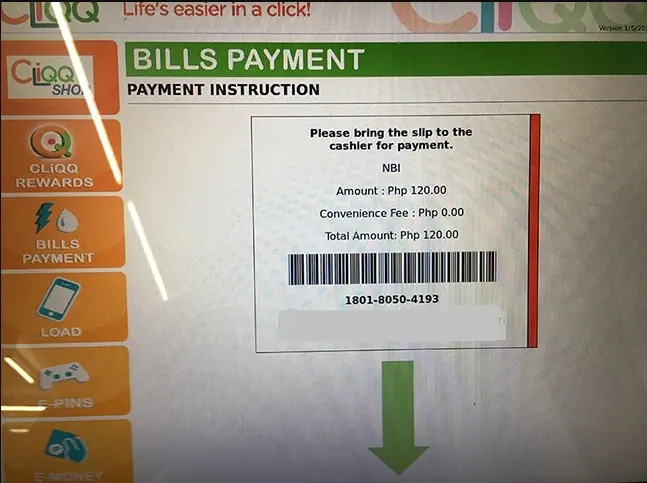
Go to any 7-Eleven with a Cliqq machine. Tap Bills Payment, then choose NBI or NBI Clearance. Enter your reference number, name, and phone number. Check if the amount is correct and print the slip. Give it to the cashier, pay in cash, and keep the receipt for your records.
Get CLiQQ App for Android Mobile
Using the Cliqq Mobile App
- Open the Cliqq app and tap Pay Bills.
- Search for NBI Clearance and enter your details.
- A barcode will appear—show this to the cashier and pay.
- It’s a fast and easy option, especially if the kiosk isn’t available.
NBI Clearance Fee Breakdown (2026 Updated)
Here’s what you’ll pay in 2026:
- NBI Clearance Fee: ₱130
- Electronic Payment Fee: ₱25
- 7-Eleven Convenience Fee: ₱20–₱30
- Total Cost: ₱175–₱185
It’s a small extra fee, but it’s worth it for the quick and hassle-free payment at any 7-Eleven.
How Long Does It Take Before Payment Reflects?
Most payments appear on your NBI account within 20–30 minutes.
- Sometimes it shows up in just 5 minutes.
- Usually it takes 15–30 minutes.
- During busy hours, it may take up to 2 hours.
If there’s a delay, it’s usually just the system updating. A short wait often fixes it.
Proof of Payment and Tracking
After paying, do the following:
• Keep your receipt
• Take a photo of the payment slip
• Log in to your NBI account to check the status
• Refresh the page if it hasn’t updated yet
Once it shows “Paid,” you’re all set for your appointment.
Common Problems and Solutions
1. Payment Not Showing Up
This is normal during busy times.
What to do: Wait about 30 minutes, then log out and log back in.
2. Wrong Reference Number
If you typed the wrong number, the system can’t match your payment.
What to do: Contact NBI and show your receipt.
3. Lost Receipt
Don’t worry.
What to do: Open the Cliqq app and check your Transaction History.
4. Delayed Posting
Sometimes the update is slow.
What to do: Wait 1–2 hours and check again.
5. No Cliqq Kiosk Available
Not all branches have a kiosk.
What to do: Use the Cliqq app to generate a barcode.
FAQs
1. Is it safe to pay the NBI fee in 7/11?
Yes. 7-Eleven is an official NBI payment partner, so it’s safe.
2. Can I pay anytime?
Yes. You can pay any time of the day since 7/11 is open 24/7.
3. Do I need to bring an ID?
No. You only need your NBI reference number and the payment.
4. Can the payment be refunded?
No. Payments are non-refundable, but NBI can help if there’s a problem.
5. Can I pay for someone else?
Yes. As long as you have the correct reference number, you can pay for anyone.
Conclusion
Paying your NBI Clearance fee at 7-Eleven is very easy. It’s quick, convenient, and doesn’t require online banking. Just bring your reference number, use the kiosk or the Cliqq app, and complete the payment in a few minutes. Keep your receipt, follow the steps, and you’ll be ready for your NBI appointment without any worries.