How To Reschedule NBI Appointment?
Sometimes plans change — a sudden meeting, a family matter, or an emergency. If you can’t make your NBI appointment, don’t worry. You can reschedule it online in just a few minutes. Just follow the steps carefully so you don’t lose your payment or your slot.
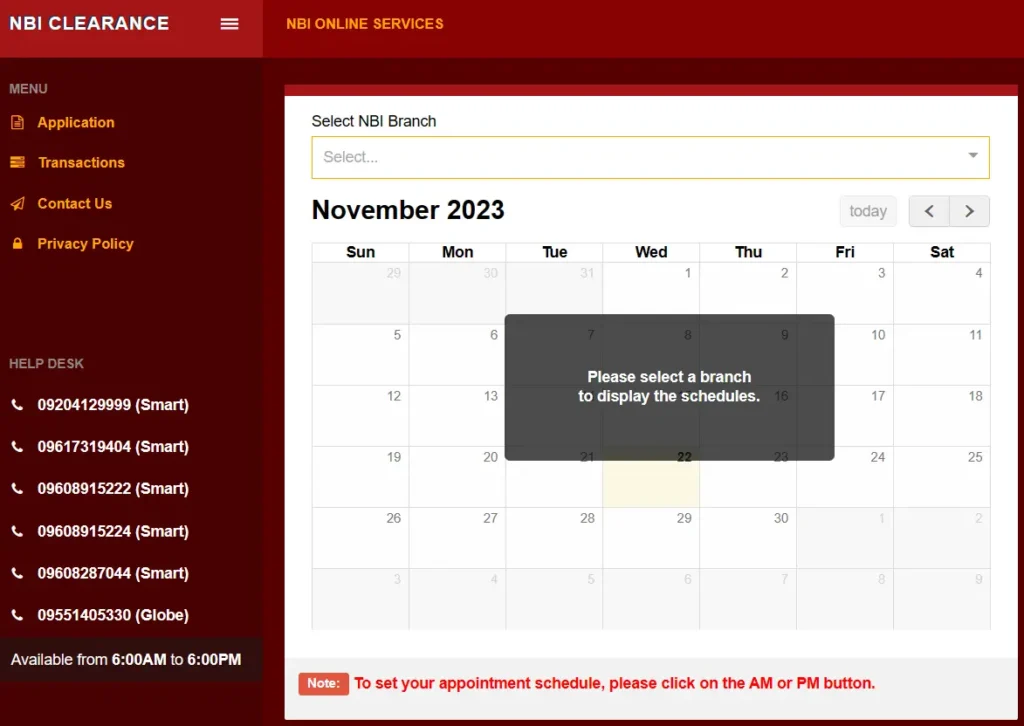
Understanding the NBI Appointment System
The NBI Clearance online portal makes the process easier. You can book, pay, and manage your appointment without lining up. Just remember, your appointment is tied to your reference number and payment, so cancel or reschedule carefully to avoid any problems.
When Should You Reschedule Your NBI Appointment?
You should move your NBI Clearance appointment if:
- You have an urgent work or family matter.
- You picked the wrong branch or date.
- Bad weather or travel issues stop you from going.
- The NBI office is closed for the day.
It’s better to reschedule early than miss your slot and book again.
Step-by-Step Guide: How to Reschedule Your NBI Appointment Online
Changing your NBI appointment is easy. Just follow these steps:
1. Log in to the NBI website.
Use your registered email and password.
2. Go to “My Appointments.”
Find the schedule you want to change.
3. Cancel your current booking.
Click “Cancel” and confirm. Wait for the system to update.
4. Book a new schedule.
Choose your preferred branch, date, and time.
5. Check your payment.
Some payments carry over, but others may need to be paid again.
6. Save your confirmation.
Take a screenshot or save the email for reference.
Tip: Try booking on weekdays—Tuesdays to Thursdays are usually less crowded.
Important Considerations Before Rescheduling
Keep These in Mind:
- Payment rules – Some payments can be refunded, others can only be used for another booking.
- Branch policies – Not all offices allow last-minute changes.
- System maintenance – The NBI website may be down sometimes for updates.
- Busy seasons – Slots fill up fast, especially from January to March.
Knowing these things early will save you time and stress.
Common Mistakes to Avoid When Rescheduling
When rescheduling your NBI appointment, avoid these common mistakes. Some people forget to check refund rules, choose the wrong branch again, or don’t save their new confirmation. Others think their payment transfers automatically or wait too long to make changes. Always double-check your details before confirming — it helps you avoid delays and extra hassle.
Tips for a Smooth Rescheduling Process
- Act early. Don’t wait until the last day to cancel or rebook.
- Check your details. Make sure your branch, date, and time are correct.
- Be patient and polite. Staff are more helpful when you’re respectful.
- Prepare your documents. Bring your valid ID, old clearance, and payment receipt.
- Stay updated. Visit the NBI website or Facebook page for announcements.
A little preparation can save you a lot of time and stress.
FAQs
Q1: Can I reschedule my NBI appointment online?
Yes. Log in to the NBI portal, cancel your old booking, and set a new date before your appointment.
Q2: Will I lose my payment if I reschedule?
It depends. Some payments can be reused, while others need new payment. Check the policy before cancelling.
Q3: How soon can I rebook after cancelling?
You can rebook right after getting your cancellation confirmation if there are open slots.
Q4: Can I change my branch?
Yes. You can pick a different branch when you rebook, as long as slots are available.
Q5: What if I miss my appointment without rescheduling?
You might lose your payment and need to book again. It’s best to reschedule early.
Conclusion
Rescheduling your NBI appointment online is easy. The system lets you change your schedule anytime as long as you do it properly. Just plan ahead, check your details, and avoid small mistakes. Life can be unpredictable, but your NBI clearance process doesn’t have to be. Stay calm, follow the steps, and you’ll have your new appointment in no time.